
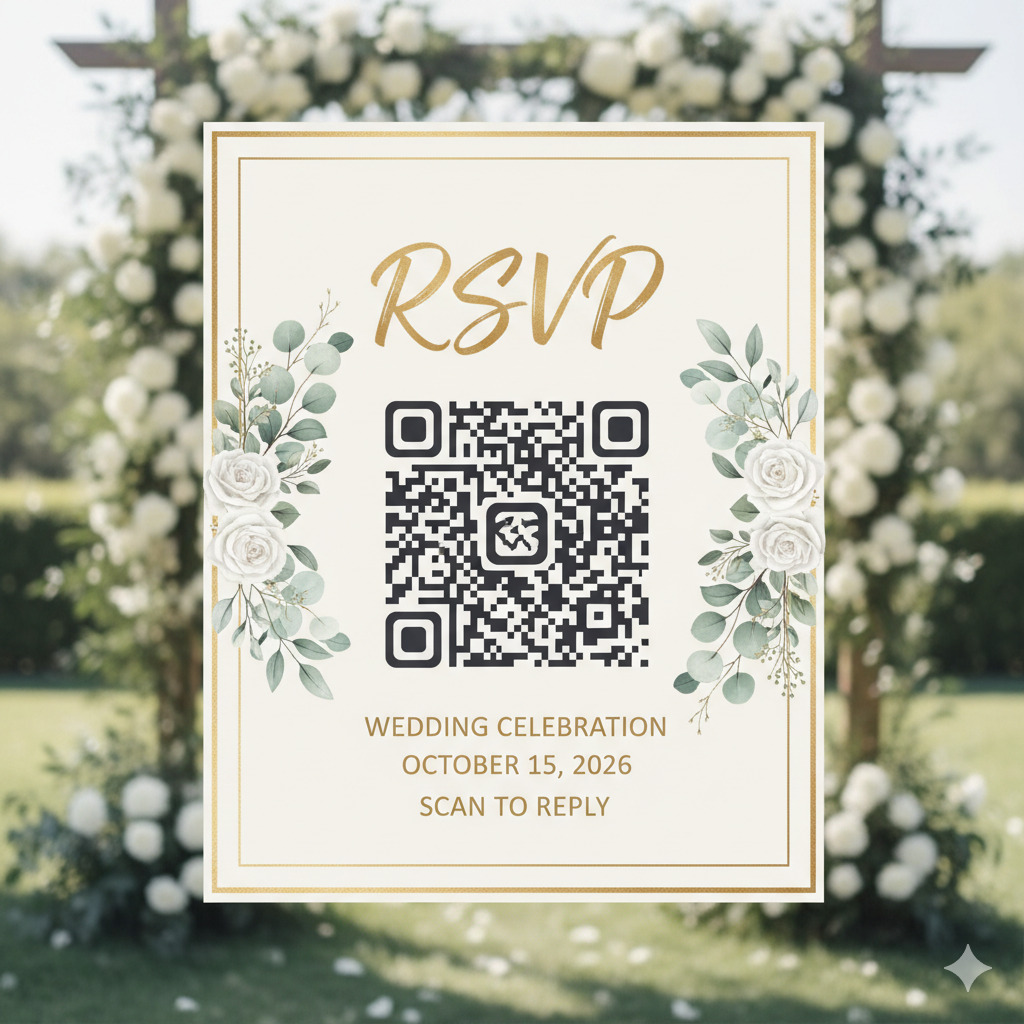
Planning a wedding involves many moving parts, from guest lists and seating arrangements to event communication and confirmations. Traditional RSVP methods often rely on paper response cards or email replies, which can be time-consuming to manage and difficult to track. This is why many couples are now choosing a rsvp qr code wedding to simplify the process.
Planning a wedding involves many moving parts, from guest lists and seating arrangements to event communication and confirmations. Traditional RSVP methods often rely on paper response cards or email replies, which can be time-consuming to manage and difficult to track. This is why many couples are now choosing a rsvp qr code wedding to simplify the process.
A QR code printed on a wedding invitation allows guests to scan the code using their phone and instantly access an RSVP page. This page can include event details, a confirmation form, and additional information about the wedding. Using a digital RSVP system reduces administrative work while making it easier for guests to respond quickly.
Modern tools make this process straightforward. Platforms such as the ConnectQR solution https://www.connectqr.io/solutions#events allow users to create dynamic QR codes that link printed invitations to online RSVP forms, event pages, or digital schedules.
In this guide, we explore how QR codes are transforming wedding invitations, how couples can create them, and how to choose the right qr code generator for wedding rsvp systems to manage guest responses efficiently.
A wedding invitation with QR code blends traditional printed invitations with modern digital convenience. Guests still receive a beautifully designed invitation but can respond instantly by scanning a code.
This approach provides several practical benefits:
Instead of manually tracking replies, a QR code directs guests to a digital RSVP form. Responses are stored automatically, helping couples keep track of confirmations in real time.
QR codes can link to a webpage containing important event information, including:
Guests can access this information quickly without needing multiple printed inserts.
Traditional invitations often require multiple inserts for RSVP cards, maps, and event details. QR codes allow couples to include this information digitally, reducing printing complexity.
If any event details change, couples can update the digital page linked to the QR code instead of reprinting invitations.
Understanding how to create a qr code for wedding rsvp is easier than many couples expect. Modern platforms provide simple tools that allow users to generate QR codes in just a few steps.
The first step is setting up a digital RSVP page where guests can confirm attendance. This page may include:
Many couples use event websites or online forms for this purpose.
After creating the RSVP page, the next step is generating the QR code that links to it. A QR code generator converts the webpage URL into a scannable code that can be placed on the invitation.
When guests scan the code with their smartphone camera, they are taken directly to the RSVP page.
Before printing invitations, couples should test the QR code on multiple devices to ensure it opens the correct page quickly and reliably.
Once tested, the QR code can be downloaded in high resolution and prepared for printing on wedding invitations.
Following these steps allows couples to implement a reliable and easy-to-use digital RSVP system.
Choosing the best qr code generator for wedding invitations is an important step when designing a digital RSVP system. Not all QR code generators offer the same capabilities, so couples should look for features that provide flexibility and reliability.
Dynamic QR codes allow the destination link to be updated without changing the printed code. This is helpful if the RSVP page or wedding website needs to be updated later.
Wedding invitations often follow a specific aesthetic style. Some QR code generators allow users to customize colors, shapes, or frames so the QR code matches the invitation design.
Advanced QR code platforms provide analytics that show how many guests scanned the code. This can help couples track engagement and see when guests begin responding.
A good QR code generator ensures that the code works consistently across different devices and scanning apps.
Using a professional qr code generator for wedding rsvp helps ensure that the QR code functions smoothly when guests receive their invitations.
After creating the QR code, the next step is understanding how to add qr code to wedding invitation designs effectively.
QR codes are often placed on the back of the invitation card or on a separate RSVP card. This keeps the main design clean while still providing easy access to the code.
Some guests may be unfamiliar with QR codes, so it is helpful to include a small instruction line such as:
“Scan this code to RSVP and view wedding details.”
This ensures guests understand how to respond.
For reliable scanning, the QR code should:
These factors help ensure that smartphones can scan the code easily.
Once the invitations are printed, testing a sample QR code ensures that it works correctly under real conditions.
Following these design considerations helps integrate the QR code smoothly into the invitation layout.
When selecting a qr code generator for wedding rsvp, couples should look for features that simplify event planning and guest communication.
Dynamic QR codes allow couples to update the RSVP page if wedding details change.
Some QR code systems integrate with event platforms that track registrations and confirmations automatically.
Most guests will access the RSVP form using their smartphone, so the page should be optimized for mobile devices.
QR codes can also be used on digital invitations, wedding websites, or event emails.
Using a well-designed QR code platform ensures a smooth RSVP process for both couples and guests.
Beyond RSVPs, QR codes can enhance many aspects of the wedding experience.
A QR code can link guests to a wedding website where they can find:
After the wedding, couples can update the QR code link to direct guests to photo galleries or video highlights.
For multi-day weddings, QR codes can provide guests with detailed schedules and location information.
QR codes can also link to guest message boards or digital guest books.
These additional uses help couples create a more interactive and organized wedding experience.
To ensure success when using a wedding invitation with QR code, couples should follow several best practices.
QR codes should complement the invitation design rather than overpower it.
Some guests may prefer traditional RSVP methods, so offering a backup option such as email can be helpful.
Blurry or low-resolution codes may not scan properly.
Testing ensures that guests using different smartphone models can scan the code easily.
These steps help ensure a smooth and reliable RSVP experience.
Digital tools are transforming how couples plan and manage weddings. QR codes bridge the gap between traditional printed invitations and modern digital communication.
A wedding invitation with QR code provides a practical solution that simplifies RSVP management while maintaining the elegance of a printed invitation.
As technology continues to evolve, more couples are discovering the convenience of QR codes for managing guest lists, sharing event information, and improving communication with guests.
QR codes offer a simple and effective way to modernize wedding invitations and streamline the RSVP process. By learning how to create a qr code for wedding rsvp, couples can reduce administrative work while providing guests with an easy and convenient way to confirm attendance.
Choosing the best qr code generator for wedding invitations ensures that the QR code functions reliably and integrates seamlessly into the invitation design. Once generated, understanding how to add qr code to wedding invitation layouts helps maintain both functionality and aesthetic appeal.
With the right qr code generator for wedding rsvp, couples can create a modern invitation experience that combines traditional elegance with digital convenience, making wedding planning easier for both hosts and guests.
Ready to create your first QR code? Start free on ConnectQR - no credit card required.
Create dynamic QR codes with real-time analytics. No credit card required.
Start for Free →